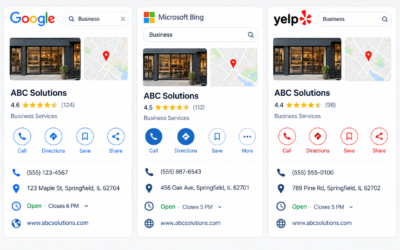

Google Business Profile optimization is the process of completing, verifying and maintaining every section of your free Google listing so it matches more local searches and earns more trust than competing profiles. For most West Palm Beach businesses, it’s the highest-return local marketing work you can do, and you can do most of it yourself in an afternoon.
The payoff is measurable. According to Google’s own data, customers are 2.7 times more likely to consider a business reputable when they find a complete profile, 70% more likely to visit it and 50% more likely to consider purchasing from it.
This checklist walks through the whole process, step by step. It’s written for owners and managers in West Palm Beach who want a practical routine they can follow without guesswork.
Why Does Google Business Profile Matter in West Palm Beach?
When someone in Palm Beach County searches for a dentist, an electrician or a place to eat, the first thing they usually see is the local pack. The local pack is the map with three business listings that appears at the top of most local search results, and Google Business Profile is what feeds it. For many local companies it drives more calls and visits than the website does.
West Palm Beach is a competitive market for those three spots. Restaurants on Clematis Street, medical practices near Okeechobee Boulevard, home service companies serving Northwood and El Cid, and retail shops around Rosemary Square all compete for the same map results. The population also swells in winter. Palm Beach County gains an estimated 158,876 seasonal residents, about 10.6% on top of its year-round population, according to the Palm Beach County Planning Division. Many of those searchers don’t know the area and rely entirely on Google to decide where to go.
Google states that local results are based on three factors: relevance, distance and prominence. Relevance is how well your profile matches what the person searched for. Distance is how close you are to the searcher or the location they mention. Prominence is how well known your business is, which includes reviews, links and mentions across the web.
You can’t change distance. You can improve relevance and prominence, and a complete, accurate profile is the foundation for both.
Before You Start: Claim and Verify Your Profile
Search for your business name on Google while signed in to the account you want to manage. If a profile already exists, request ownership. If none exists, create one. Google will ask you to verify the business, usually by video, phone, email or postcard, depending on the category and your situation.
Use a Google account that belongs to the business rather than a personal account. If an employee or agency leaves, you want to keep control of the profile. Add managers through the access settings instead of sharing a password.
The Google Business Profile Optimization Checklist
1. Confirm Your Name, Address and Phone Number
Your business name should match the name you use in the real world, on your signage and on your invoices. Google’s guidelines require the profile name to reflect your real-world name, and adding keywords or neighborhoods, such as “Best Plumber West Palm Beach,” can lead to suspension.
Check that the address is formatted the same way it appears on your website. If you serve customers at their homes and don’t have a public storefront, hide the address and set service areas instead. Use a local phone number with a 561 area code where possible, and list a tracking number only as a secondary number if you use one. If your details differ across the web, fix that too. Our guide to NAP consistency covers the full cleanup process.
2. Choose the Right Primary and Secondary Categories
The primary category is one of the strongest relevance signals in the profile. Select the one that describes your main service most precisely. A business that mainly repairs air conditioners should choose an air conditioning repair category rather than a broad “contractor” label.
Add secondary categories for other services you genuinely offer, but avoid adding every category that looks loosely related. Review competitors that rank well and see which categories they use.
3. Set Accurate Hours and Service Areas
Incorrect hours are one of the most common causes of negative reviews. Set regular hours, then add special hours for holidays and seasonal changes. This matters in South Florida, where many businesses adjust schedules for hurricane preparation, summer slowdowns or high season.
For service areas, list the cities and neighborhoods you actually cover, such as West Palm Beach, Palm Beach, Lake Worth Beach, Royal Palm Beach and Palm Beach Gardens. Keep the list realistic. Claiming an area you don’t serve creates poor customer experiences and hurts your reviews.
4. Write a Clear Business Description
You have up to 750 characters, and only the first 250 or so are visible before a reader has to expand the text. Describe what the business does, who it serves and what makes it different, in plain language. Mention your location naturally once, and skip promotional claims, phone numbers and links, which Google doesn’t allow in the description.
5. Add Services, Products and Attributes
List each service with a short description. These entries help Google match your profile to specific searches such as “emergency pipe repair” or “teeth whitening.” Restaurants can add menus and dishes, and retailers can add products.
Attributes are details such as wheelchair accessibility, outdoor seating, online appointments or women-led. Select only those that are true, since customers notice when a profile doesn’t match reality.
6. Upload Real Photos and Video
Upload a logo, a cover image, exterior photos that help people find the entrance, interior shots, team photos and examples of finished work. Use original images rather than stock photography, and rename files descriptively before uploading.
Add new photos regularly. Short videos of a storefront, a service in progress or a menu preparation are also useful. Customers can upload photos too, so check your profile occasionally for anything inaccurate.
7. Build a Steady Review Process
Reviews affect both rankings and conversion, and almost everyone reads them. In BrightLocal’s 2025 Local Consumer Review Survey, only 4% of consumers said they never read online reviews for local businesses. Recency counts too: 20% of consumers in the same survey said reviews need to be as recent as two weeks old to influence their decision.
Ask customers for reviews at the moment they’re most satisfied, such as right after a completed service or a good meal. Share your direct review link by text, email or a QR code at the counter. Don’t offer discounts or gifts in exchange for reviews, and don’t selectively ask only happy customers, since both practices violate Google’s policies.
Respond to every review. For positive reviews, a short and specific thank-you is enough. For negative ones, respond calmly, acknowledge the issue and offer a way to resolve it offline. For a deeper process, see our reputation management playbook for West Palm Beach businesses.
8. Use Posts, Messaging and Q&A Features
Google Posts let you share updates, events and offers directly on your profile. Post at least a few times per month, for example to announce seasonal hours, a new service or a community event. Keep each post short and include a clear image.
If you enable messaging, make sure someone can answer quickly. Check the questions section and add your own common questions with accurate answers so customers see correct information first.
Google Business Profile Checklist at a Glance
| Task | What to Check | Recommended Frequency |
|---|---|---|
| Business Name, Address, and Phone Number | Ensure all details match the business’s real-world signage and official website. | Quarterly |
| Business Categories | Verify that the primary category accurately reflects the main business activity and secondary categories are relevant. | Twice a year |
| Business Hours | Confirm that regular operating hours and special holiday hours are accurate and up to date. | Monthly and before holidays |
| Business Description and Services | Keep descriptions and service details clear, accurate, relevant, and free from misleading promotional claims. | Twice a year |
| Photos and Videos | Add recent, original photos and videos that accurately represent the business, premises, products, or services. | Monthly |
| Customer Reviews | Encourage genuine customer feedback, monitor new reviews, and respond professionally to customer comments. | Weekly |
| Google Business Profile Posts | Publish relevant business updates, events, announcements, and seasonal information. | Two to four posts per month |
| Questions and Messages | Monitor customer inquiries and provide timely, helpful, and accurate responses. | Weekly |
| Performance Data | Review profile performance metrics, including searches, calls, website clicks, and direction requests, to identify trends. | Monthly |
Keep Your Information Consistent Across the Web
Google compares your profile with other sources before deciding how much to trust it. If your address appears one way on your profile, another on Yelp and a third on a chamber of commerce page, confidence drops. This is why consistent name, address and phone details, often called NAP, matter. We explain the full audit process in NAP Consistency Explained.
Audit major directories, industry sites and local listings, then correct anything out of date. Some businesses handle this with a dedicated business listings management process so updates are applied everywhere instead of one site at a time. Either approach works, as long as the data stays aligned.
Connect Your Profile to Your Website
A profile works best when it sends visitors to a relevant page. Link to a location page or service page rather than only the homepage, and make sure that page includes the same details shown on your profile. Your site should also load quickly on mobile, since most local searches happen on phones.
The profile and the site support each other. Strong on-page content, helpful local pages and quality links improve prominence, which is where search engine optimization work and profile management overlap.
Common Google Business Profile Mistakes to Avoid
Several problems appear repeatedly on local profiles:
- Adding keywords or locations to the business name
- Using a virtual office or a mailbox address as a storefront
- Leaving old hours after a schedule change
- Ignoring negative reviews or responding defensively
- Creating duplicate profiles for the same location
- Selecting too many unrelated categories
Duplicate profiles deserve special attention. If a previous owner or an employee created a second listing, ask Google to mark it as a duplicate so ranking signals aren’t split.
How Do You Measure Whether Optimization Is Working?
Measure your profile by trends in its performance data over three to six months, not by any single week. Google Business Profile reports how many people viewed the profile, searched for your business by name, searched for a category, called, requested directions or clicked through to the website.
Pay attention to the type of search that brings people to you. Discovery searches, where people look for a category rather than your name, show how well relevance and prominence are working. Compare call and direction requests with actual sales or bookings so you understand the real value of each action.
If you want an outside view of your profile alongside your wider local presence, a team offering digital marketing in West Palm Beach can review it with you. For budgeting purposes, you can compare service pricing before deciding how much support you need, or read our guide to setting a digital marketing budget.
A Simple Monthly Routine
Optimization isn’t a one-time task. A manageable routine looks like this:
- Check for new reviews and respond to each one.
- Add at least three new photos.
- Publish a post or two.
- Confirm hours and holiday changes.
- Review performance data and note any unusual drops.
This takes less than an hour for most single-location businesses and prevents the slow decay that affects neglected profiles.
Frequently Asked Questions
How long does Google Business Profile optimization take to show results?
Small changes, such as corrected hours or new photos, can be reflected within days. Ranking improvements usually take several weeks to a few months, since reviews, citations and engagement build gradually.
Can I rank in West Palm Beach if my office is in another city?
It’s harder, because Google puts heavy weight on proximity. A business located in West Palm Beach has an advantage for searches in that area. Service-area businesses can still appear, but results vary with competition and distance.
How many reviews do I need?
There’s no fixed number. Compare yourself with the top three businesses in your category and aim for steady growth in both quantity and recency. Quality and detail in reviews matter as much as the total.
Should I use the same description on every directory?
Keep the core facts identical, but write slightly different descriptions where the platform allows. Identical text across many sites adds little value, while consistent contact details are essential.
What should I do if my profile is suspended?
Read the notice to understand the reason, fix the issue, such as a name that violates guidelines, and submit a reinstatement request with supporting documents like a business license or photos of signage. Avoid making repeated edits while the request is pending.
Is it worth paying for help?
That depends on your time and the size of your market. Many owners handle the basics themselves and bring in outside help for audits, listing cleanup or ongoing management. If you want to discuss your situation, you can contact the team for a conversation.
Final Thoughts
A complete Google Business Profile doesn’t require tricks. It requires accurate information, a clear choice of categories, fresh photos, steady reviews and regular attention. In West Palm Beach, where search volume and competition both climb as seasonal residents arrive, those basics create a lasting advantage. Start with the checklist above, set a monthly routine and review your results each quarter. For more local marketing guides, visit Allreact.